
Meeting series
A series represents recurring meetings as one item: the number of meetings, hours per meeting and interval in weeks. Use it for weekly client calls or consultations.
Add a series
Section titled “Add a series”- Open an estimate in Hours mode and click Add item
- Choose Series under Item type and enter a Name
- Fill in Meetings, Hours per meeting and Every N weeks
- Set the Start date, or leave it empty to use the estimate start. Click Add
| Field | Allowed values |
|---|---|
| Meetings | A whole number from 1 to 260 |
| Hours per meeting | From 0.25 to 24, in steps of 0.25 |
| Every N weeks | A whole number from 1 to 52 |
| Start date | Optional, defaults to the estimate start |
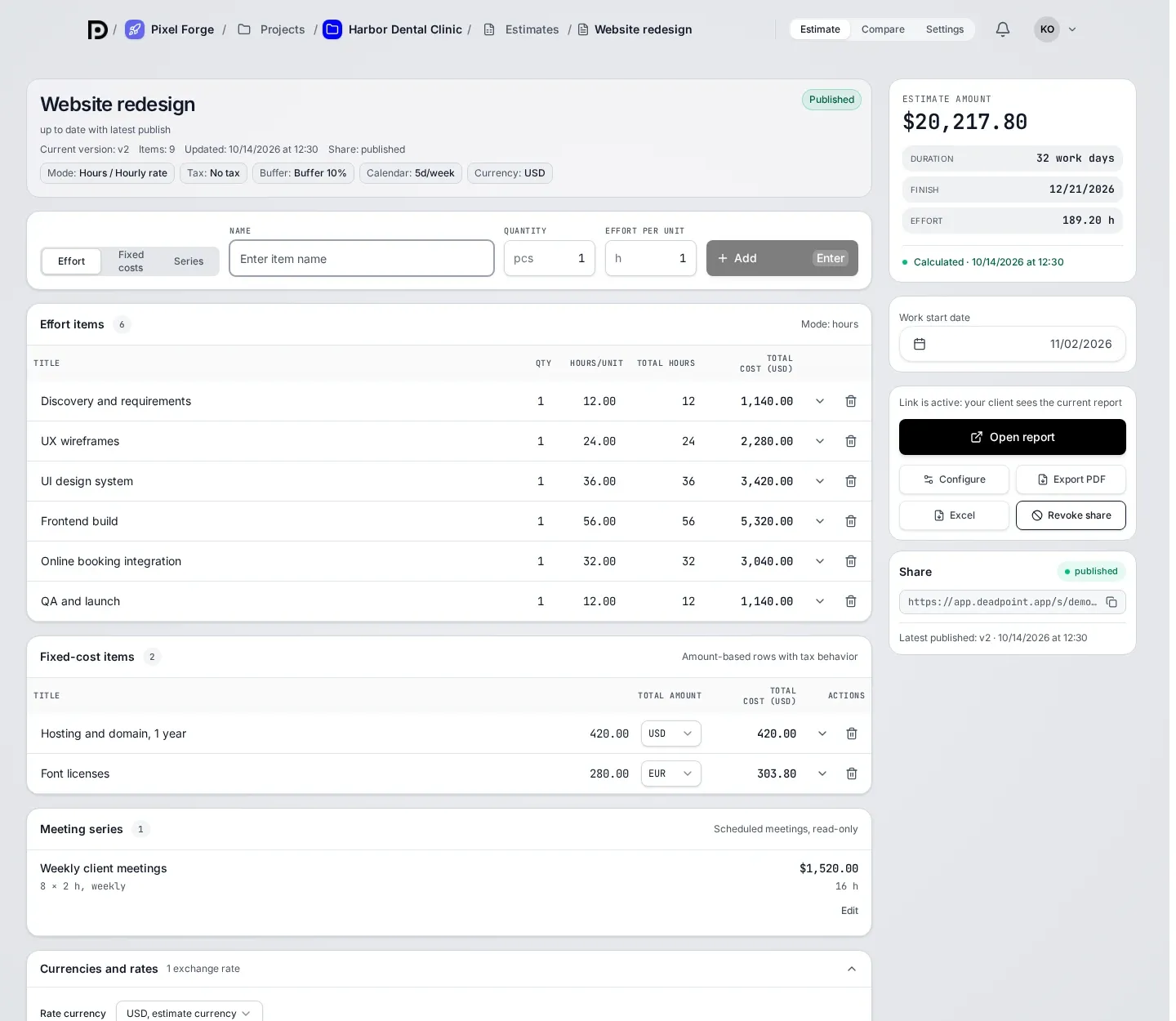
Series price = meetings × hours per meeting × the estimate's hourly rate. For example, 8 meetings of 2 hours give 16 billable hours.
The risk buffer and scenario markup do not apply to a series. Tax follows the same rules as effort items, using the estimate settings. The series contributes to the total alongside effort and fixed costs.
End date
Section titled “End date”The first meeting falls on the series start date. Each subsequent meeting is scheduled at the chosen interval in weeks from that date. Without a separate start date, the estimate start is used.
The estimate ends on whichever is later: the work end date or the last meeting after rescheduling. A series can extend the estimate even when its total hours are low. Meetings run alongside work and do not consume team capacity.
Meetings on non-working days
Section titled “Meetings on non-working days”A meeting moves forward to the next working day in the estimate's calendar. National holidays apply only when the country calendar is enabled. When it is disabled, the selected weekdays and manual exceptions determine working days. Extra working days allow a meeting on a weekend. Other meetings keep their original schedule, and the meeting count stays the same. Rescheduling is identical in Normal and Overload, even when Overload allows work on holidays.
Example for the USA (US): country calendar enabled, start Dec 11, 2026, 4 weekly meetings, Saturday and Sunday off, no extra exceptions. Christmas moves the Dec 25 meeting to Dec 28. New Year's Day moves the Jan 1, 2027 meeting to Jan 4.
| Scheduled date | After rescheduling |
|---|---|
| Dec 11, 2026 | Dec 11, 2026 |
| Dec 18, 2026 | Dec 18, 2026 |
| Dec 25, 2026 | Dec 28, 2026 |
| Jan 1, 2027 | Jan 4, 2027 |
These dates were calculated using the demo calendar. Your result depends on the workspace country and working-day settings. See Working-days calendar.
Client page, PDF and XLSX
Section titled “Client page, PDF and XLSX”The client page shows a separate row with the name, meeting count, hours per meeting, interval and price. Start and end dates appear when dates are visible. PDF and XLSX include the same series details and price, with the series included in the total.
See Share an estimate by link to send the estimate to your client and Export to PDF and XLSX to download files.