

Export to PDF and XLSX
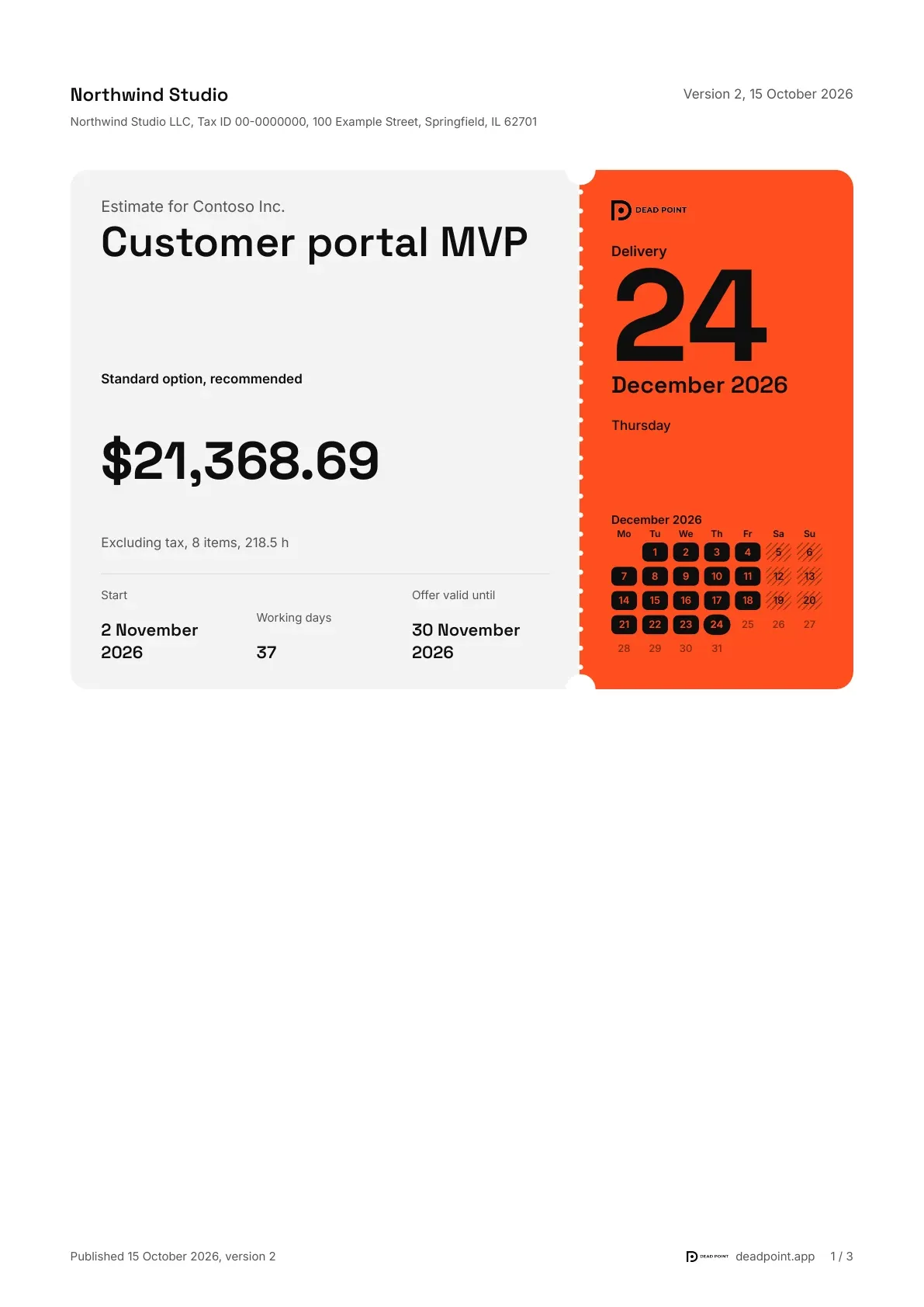
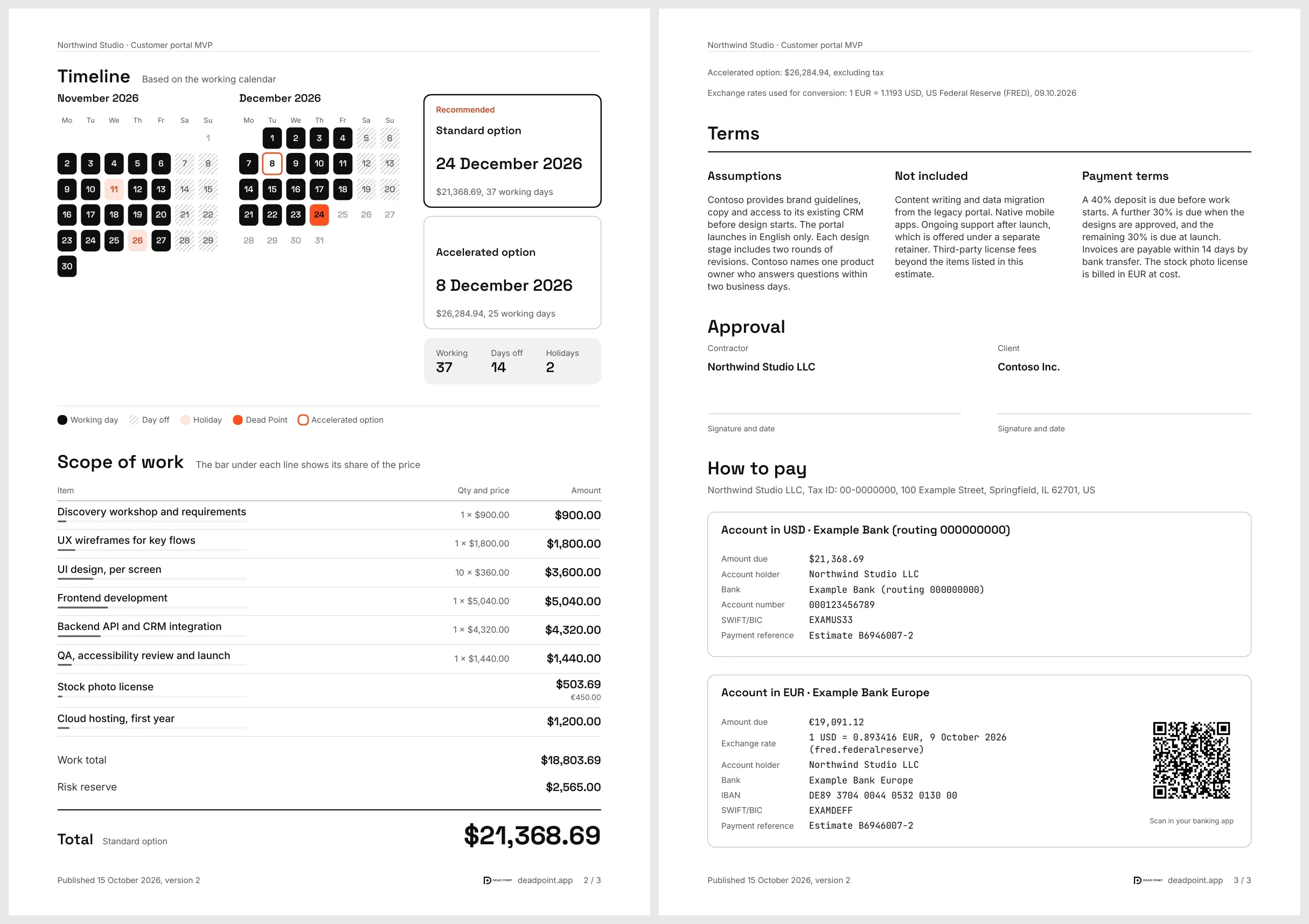
You can download a published estimate as a file to send as an attachment or add to a contract. PDF and Excel look like the client link page: a ticket cover with the Dead Point date, sections in your order, payment with a QR code.
How to download
Section titled “How to download”- Open the client link (for a password-protected link, enter the password first)
- In the page header, open the PDF, Excel menu
- Pick a format, and the file downloads in the browser
The published version of the estimate is downloaded. If you need current figures, publish a new version first.
- Ticket cover. The ticket body has the price and a row of facts: start, working days, version. The stub in the link color carries the Dead Point mark and the delivery date, with perforation along the tear line
- Sections in the link order. The timeline with a day-by-day calendar, the scope of work with each item's share of the price, terms, approval, payment with account details and a QR code. The order matches what you set in the link editor, and hidden sections stay out of the file
- The "Summary" preset gives a short PDF: price, timeline and payment
- Currencies. Items in another currency show the original amount below, and a rate footnote sits under the total
- Footer. Every page carries the Dead Point mark with a link to deadpoint.app
The Excel file is a real spreadsheet you can recalculate. Sheets:
| Sheet | What is inside |
|---|---|
| Summary | Price, timeline, key facts, the Dead Point mark and a link to deadpoint.app |
| Scope of work | Items, effort and amounts. Formulas are kept together with their results |
| Timeline | Days from the start to Dead Point: working days, days off and holidays highlighted |
| Payment | Account details and the online payment link |
Scope of work, Timeline and Payment appear only if the matching section is visible on the link. Hidden Texts and terms stay out of the file as well.
File language
Section titled “File language”Files download in the page language: English, Russian, Georgian or Chinese. If the client switches the language in the Language and currency menu, PDF and Excel follow. More in Languages.
Branding
Section titled “Branding”Files come without a watermark, with your logo and the link accent color. This is free for every workspace. If the estimate has VAT, it is a separate line in the report.