

Workspace settings through an agent
An agent with MCP access shows the estimation settings of your workspace and changes them: the rate, the points scale, the default currency. Before saving it shows a "before and after" preview, and it writes only after you confirm. How to issue a token and connect an agent is described in MCP: connect an agent. Every call counts toward the MCP limit: 100 calls per month per workspace.
| Step | Tool | Token |
|---|---|---|
| Read the settings | get_workspace_settings | Any, "Read only" is enough |
| Change the settings | update_workspace_settings | Read and draft estimates |
Read the settings
Section titled “Read the settings”Ask, for example: "Show the workspace settings and the estimates of the Studio website project". The agent answers with:
- the default currency of the workspace;
- the values set explicitly in the workspace (
overrides): an empty value means the Dead Point standard applies; - the effective values for new estimates (
effective): effort unit, points scale, hourly rate or team cost per month; - the points scale of each team.
If you name a project, the answer also lists its estimates: name, status, currency, effort unit, scale and the rate or team cost of each estimate. Amounts arrive as strings, for example "3500". The agent does not receive contacts, payment details or workspace members.
Change the settings
Section titled “Change the settings”You need a token with write access. Ask, for example: "Set the rate to 3500 per hour and the Fibonacci scale". The agent can change:
| Field | What it sets |
|---|---|
hour_rate | Hourly rate for new estimates in hours |
team_cost_per_month | Team cost per month |
buffer_percent | Buffer, % |
rounding_scale | Decimal places in amounts, a number from 0 to 6 |
estimate_type | Points scale of every team: not_in_use, linear, fibonacci, exponential or t_shirt |
default_currency_code | Default currency, a three-letter code such as USD |
work_hours_per_day | Working hours per day |
work_days | Working weekdays as numbers |
cycle_days | Cycle length in days |
The rate, team cost and buffer are passed as a string, for example "3500". Points scales are described in Points and scales, the default currency in Currencies and rates.
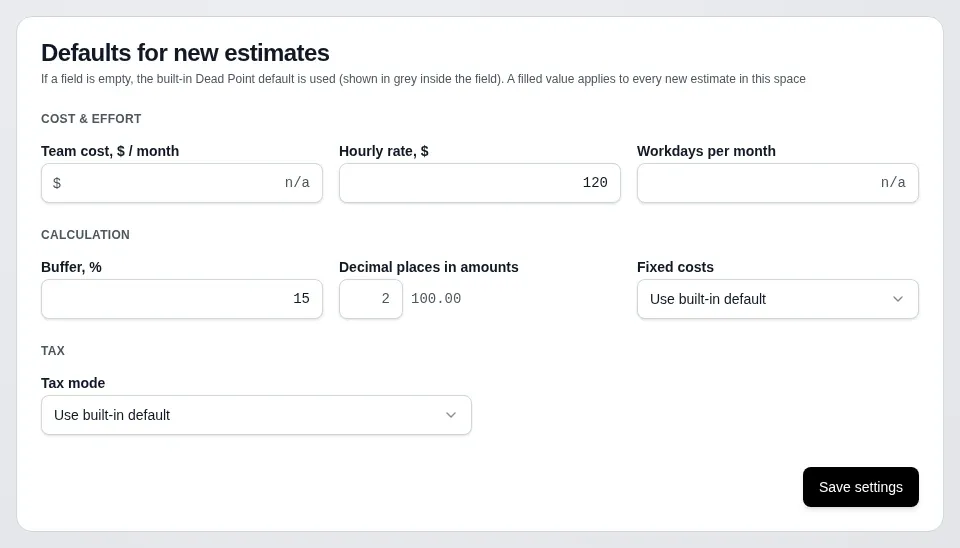
To return hour_rate, team_cost_per_month, buffer_percent or rounding_scale to the Dead Point standard, the agent passes their names in reset_fields. A different name in reset_fields or a value outside the allowed range comes back as invalid_params with a hint about which values are allowed.
Preview and confirmation
Section titled “Preview and confirmation”The first update_workspace_settings call saves nothing. The response has:
appliedequal tofalse;changeslisting the fields: what it was (before) and what it will be (after);affected_teamsshowing how many teams get a new points scale.
The agent shows you the preview. If it is right, confirm: the agent repeats the call with confirm set to true, the settings are saved and applied is true. Until you confirm, nothing changes in the app.
- If the values already match the current ones,
changesis empty and there is nothing to save. - The idempotency key (
idempotency_key) is passed only together withconfirmset totrue. A repeat with the same key returns the first result and saves nothing twice. A key used on a preview givesidempotency_conflictat confirmation. - If the MCP limit is used up, the agent gets a
quota_exceededresponse with the reset date.
Existing estimates
Section titled “Existing estimates”New settings apply to new estimates. Estimates that already exist are not recalculated: drafts and published versions stay as they were.
Who can change settings
Section titled “Who can change settings”The owner and admin change the settings. If the token was issued by a user with another role, the agent gets a forbidden refusal and the settings stay as they were. Any token of the workspace can read the settings, and the agent gets the estimates of a project only if you can view the estimates of that project.
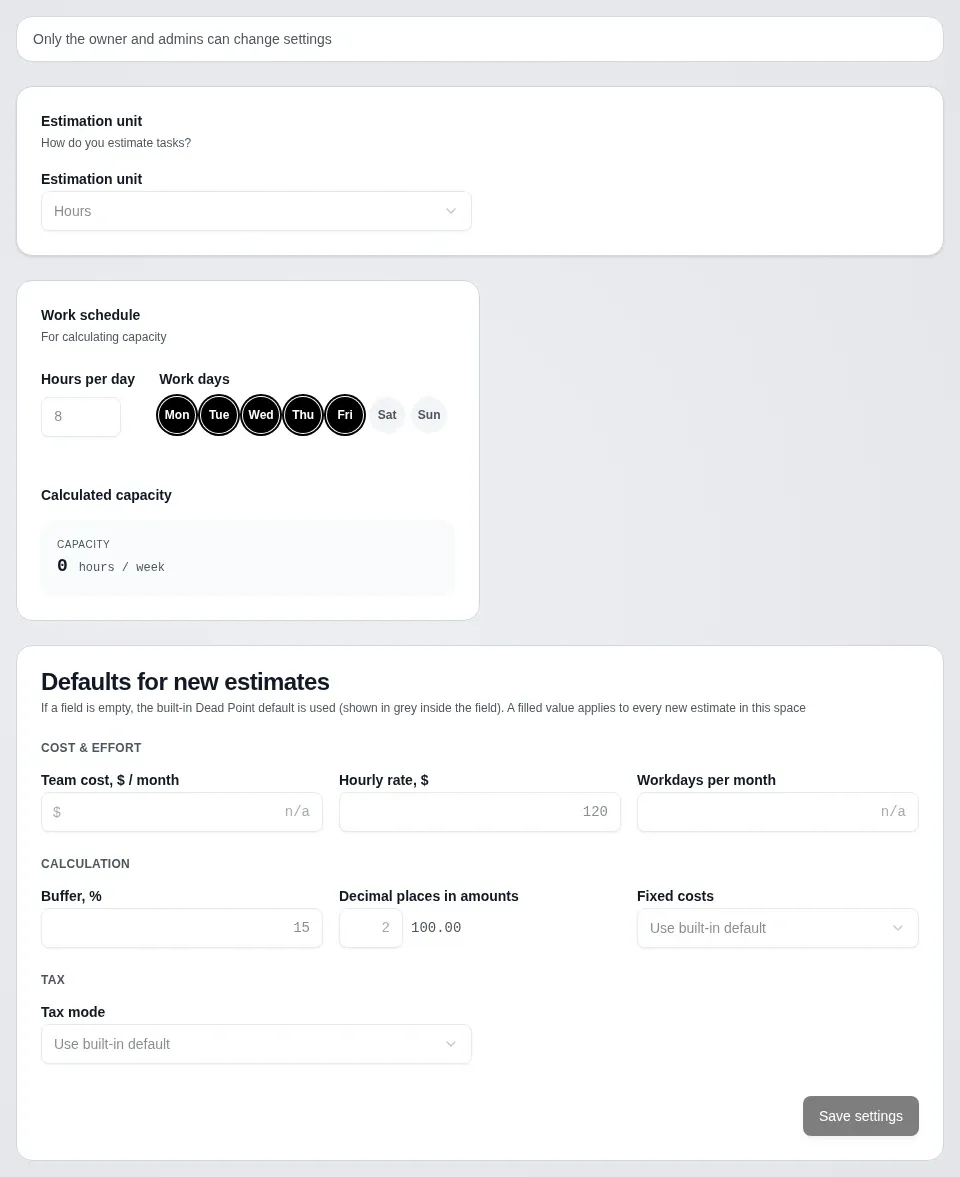
The same rule works in the app: the owner and admins change the settings in "Workspace settings", everyone else sees the fields read-only with the hint "Only the owner and admins can change settings".
What the agent does not do
Section titled “What the agent does not do”- It does not recalculate existing estimates and does not touch published versions.
- It does not change payment details, contacts, members or roles.
- It does not save settings without
confirmset totrue.