

Project copy
Copy a project when the new one looks like an old one: the same set of estimates and the same description. You get a new project with the estimates as drafts and keep working on it, while the original project stays as it was.
How to copy
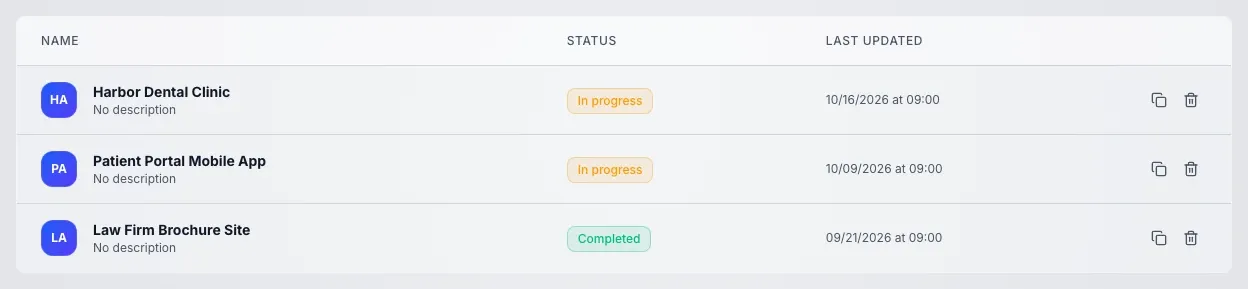
Section titled “How to copy”Every row of the project list has the button.
- Open the project list of the workspace
- Press Copy project in the project row: it is the copy icon next to the trash can
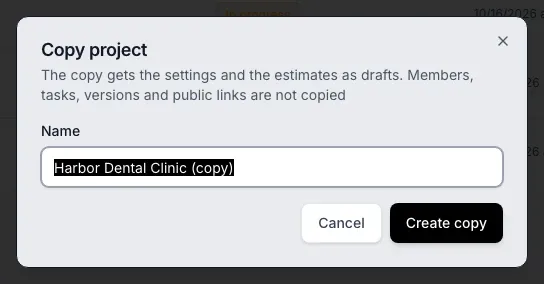
- In the Copy project window check the name and change it if needed
- Press Create copy: the new project opens right away
Name of the copy
Section titled “Name of the copy”The field already holds the name of the original project with a suffix in the interface language: Harbor Dental Clinic (copy). You can change the name. It cannot be empty or longer than 255 characters: if the name of the original is longer, it is trimmed and the suffix stays whole.
What goes into the copy
Section titled “What goes into the copy”- Description and icon. The project description, the icon and its colors
- Estimates. Every published estimate and every draft shows up in the copy as a draft with the same name, line items and settings. What exactly goes into an estimate copy is described in Estimate copy
An estimate copy is always created as a Draft, even if the original estimate is published.
What stays with the original project
Section titled “What stays with the original project”These do not go into the copy:
- members: in the copy you are the only member, invite the others again
- invitations: pending invitations stay with the original project
- tasks: the copy starts without tasks
- project team settings: estimate type, time zone and cycle settings of the copy are the defaults, set them again
- files
- estimate versions: the copies have no history, the first publish creates version 1
- client links: a link keeps pointing to the original estimate, create a separate one for the copy
- approvals: the status and the decisions of the client stay with the original estimate
- archived estimates
Who can copy
Section titled “Who can copy”Only the workspace owner who is a member of the original project can copy it. Without the right, the window shows "You don't have permission to copy projects in this workspace". If the name is empty, the message is "Enter a project name". If the copy fails for another reason, the message is "Couldn't copy the project. Try again", so repeat the action.