
Languages: English, Russian, Georgian, Chinese
The Dead Point interface and emails are available in four languages: English, Russian, Georgian (ქართული) and Chinese (中文). The client page, PDF and Excel are translated into English, Russian, Georgian and Chinese. You choose your interface language, and by default the client chooses the client link language with their browser.
Interface language
Section titled “Interface language”On first sign-in Dead Point takes the first supported language from your browser settings, or English if there is none. Any Chinese browser language (zh-*: zh-CN, zh-TW, zh-HK and others) gives the Chinese interface.
- Open Account settings, the Language tab
- Choose English, Русский, ქართული or 中文
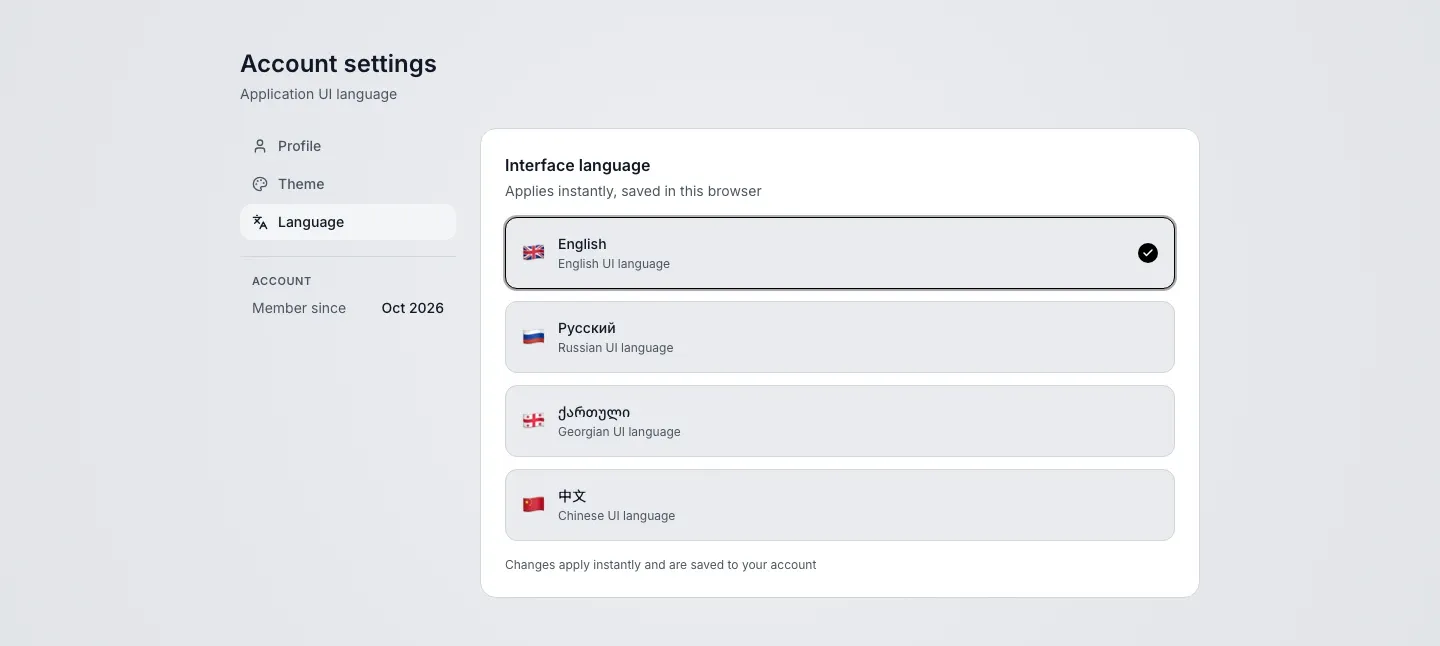
Changes apply instantly and are saved to your account. You can also switch the language on the sign-in page, in the language menu in the header.

Emails
Section titled “Emails”Sign-in emails, approval notifications and other emails arrive in the language selected in your account, Chinese included. If no language is selected, emails are in English.
Client link language
Section titled “Client link language”The language of the page, PDF and Excel is chosen in this order:
- An explicit choice: the
?locale=parameter in the link or the client's choice in the Language and currency menu - The client's browser language. If the browser has none of English, Russian, Georgian and Chinese, the page opens in English
- Your account language, when the browser language is unknown. This happens with bots that build link previews
PDF and Excel files downloaded from the page use the same language as the page.
How to send a link in a specific language
Section titled “How to send a link in a specific language”Add the locale parameter with en, ru, ka or zh:
https://app.deadpoint.app/s/f7b82443d6ba499bb0fc3c1d518a0c5a?locale=kaThe client opens the page in Georgian even if their browser uses another language. The link preview in a messenger uses that language too. The client can still switch the language in the menu.
Georgian in reports
Section titled “Georgian in reports”In the Georgian version of a report, numbers and dates follow local rules:
- money:
32 652,00 €, with the currency symbol after the amount - dates as numbers:
14.10.2026 - tax:
დღგ 18%for VAT
The PDF embeds the Noto Sans Georgian font for Georgian text, so the file looks the same on any device.
Chinese in reports
Section titled “Chinese in reports”To open the page in Chinese for the client, add ?locale=zh to the link. Write exactly zh: the parameter does not accept values like zh-CN.
https://app.deadpoint.app/s/f7b82443d6ba499bb0fc3c1d518a0c5a?locale=zhWithout the parameter, the language follows the client's browser. Any Chinese browser language (zh-CN, zh-TW, zh-HK and others) gives the page in Simplified Chinese: reports have no Traditional variant, so zh-TW opens Simplified too.
In the Chinese version of a report, numbers and dates follow local rules:
- money:
¥2,600.00and€1,754.50, with the currency symbol before the amount, commas between thousands and a dot before the cents - dates:
2026年10月15日, the exchange rate date is written in numbers:2026/10/15 - exchange rates, the payment block, the calendar event (ICS) and the link preview are in Chinese too
The PDF embeds the Noto Sans SC font for Chinese characters. It has the 6763 characters of the GB2312 set, so a rare character outside that set is not drawn in the PDF and leaves a blank. Replace such a character in the item name.