

Estimate templates
An example saves time on the first step: instead of a blank sheet you get a draft with the typical work of your niche and adjust it to the project.
How to start from an example
Section titled “How to start from an example”The choice screen appears when you create an estimate in a project that has no draft yet. If a draft already exists, it opens instead.
- In the project, click Create Estimate
- On the How do you want to start? screen, pick a calculation mode: Hours or Points
- Click Start with an example on the card for your niche, or Blank estimate to build everything from scratch
- The editor opens with the new draft
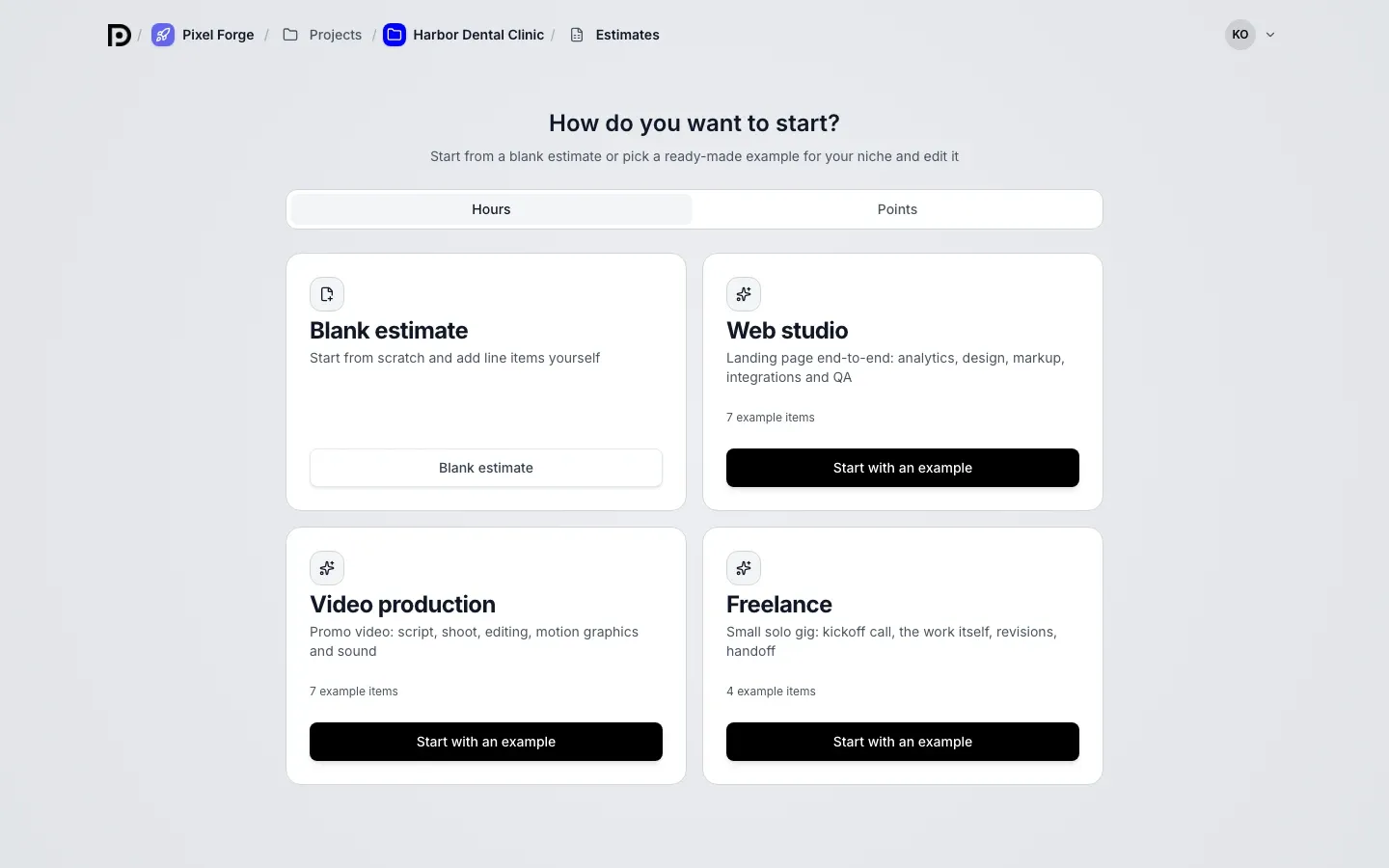
The draft is created in the same project and named Example: Web studio, Example: Video production or Example: Freelance. The estimate currency comes from the workspace settings.
Which examples there are
Section titled “Which examples there are”Each card shows how many items the example has.
| Niche | What is inside | Items |
|---|---|---|
| Web studio | Landing page end-to-end: brief, UX prototype, UI design, layout, integrations, QA and fixes, stock images and fonts | 7 |
| Video production | Promo video: script, pre-production, shooting day, editing, motion graphics, voice-over, equipment and location rental | 7 |
| Freelance | Small solo gig: kickoff call, main work, revision round, final delivery | 4 |
In the web studio and video examples, the last item is a one-off cost and the rest are effort items.
Hours and Points
Section titled “Hours and Points”The toggle above the cards sets the calculation mode of the new estimate. The mode that is the workspace default is selected at first.
- Hours: every item has a quantity and hours per unit
- Points: every item has its own number of points, and the quantity is one
Each mode has its own set of values in the example. Hours are not converted to points by a formula, so choose the mode before you create the estimate. The one-off cost is the same in both modes.
What to edit afterwards
Section titled “What to edit afterwards”An example is a regular draft with no special limits. The hours, points and amounts in it are approximate, so replace them with your own.
- Rename the estimate in the header
- Change item names, quantities, hours or points, delete extra items, add your own
- Check rates, tax and calendar on the Settings tab
You cannot save your own set of items as an example: the list of niches and their content is set by the product. To repeat a finished estimate, use estimate copy.